
For more than 20 years, Little Snitch has been keeping a watchful eye on your privacy, letting you know whenever an app wants to connect to the Internet. It has become the number one Network Monitor and Personal Application Firewall for the Mac.

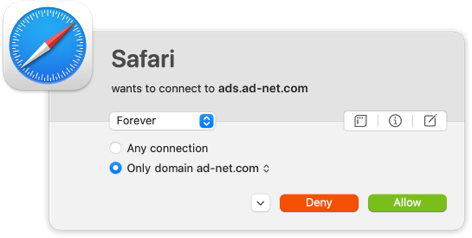
Connection Alert
Whenever an app wants to connect to the Internet, Little Snitch shows a connection alert, so you can allow or deny the connection. No data is transmitted without your consent.

Silent Mode
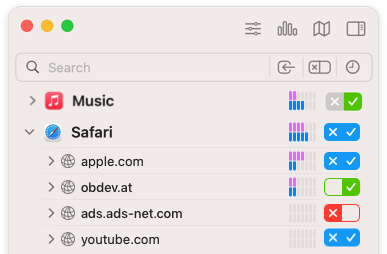
With Silent Mode, new connections are automatically allowed at first. So you won’t get interrupted and you can make your final decision later at your leisure.

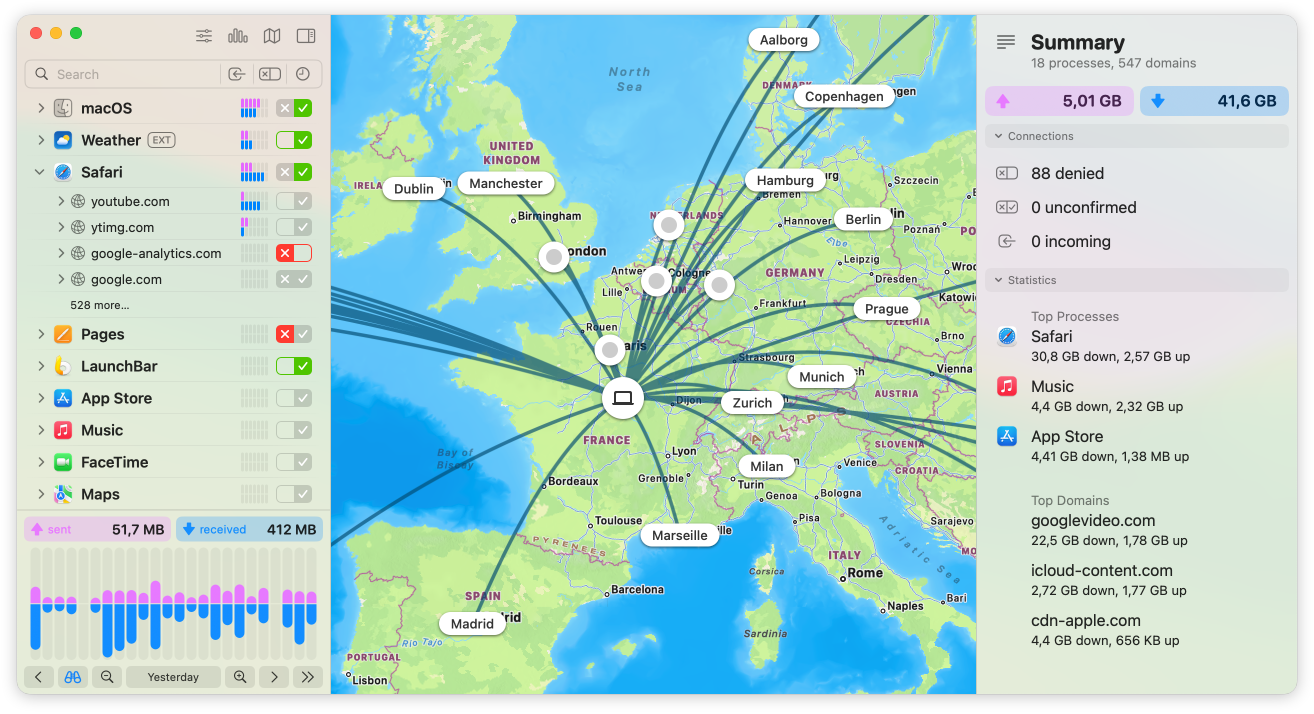
Unhide your Mac’s secret network activity with Little Snitch Network Monitor

Track the Trackers
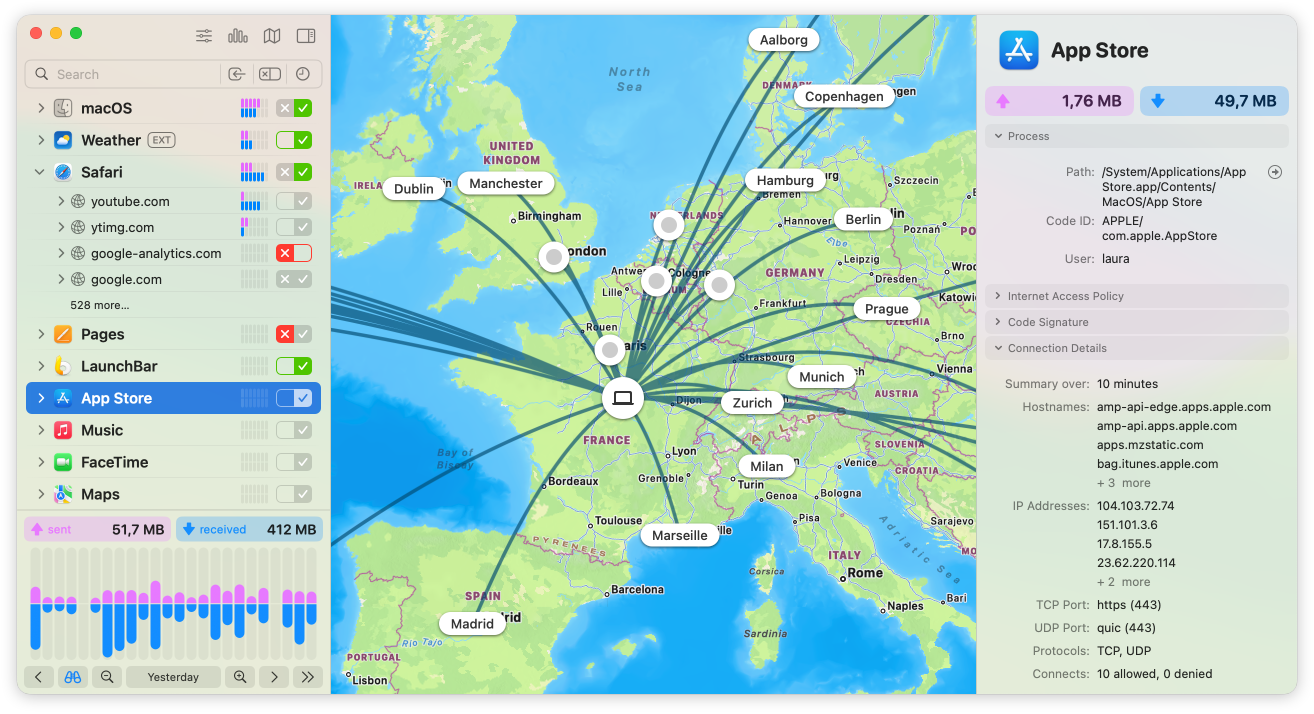
Track connections from your Mac to servers worldwide.

Dive Deep
Discover details such data volumes, server locations or ports and protocols.

Real-Time Insight
Analyze your Mac’s network activity in real time.

Take Control
Allow or block connections with a single click.

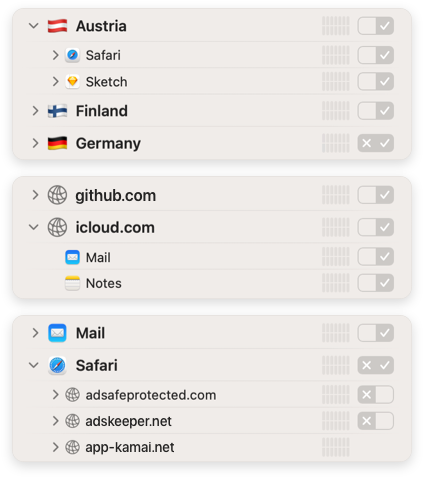
Versatile Hierarchies
Group connections in different hierarchical arrangements, by app, domain or country and clearly see which apps are connected to whom and where.
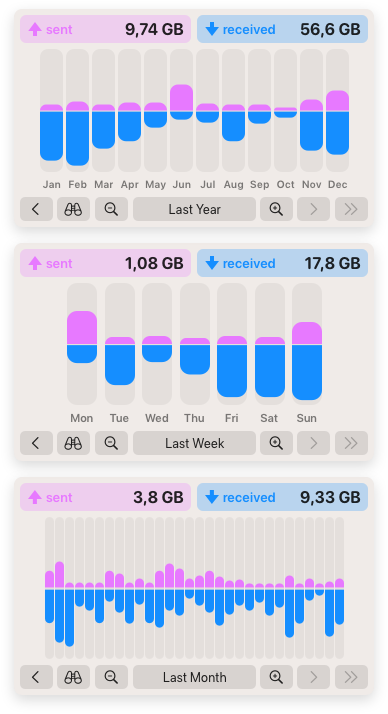

Analyze like a Pro
The redesigned interactive traffic chart provides fascinating insights into your Mac’s current and past network activity. Discover communication patterns and unusual data transmissions over a period of up to twelve months.

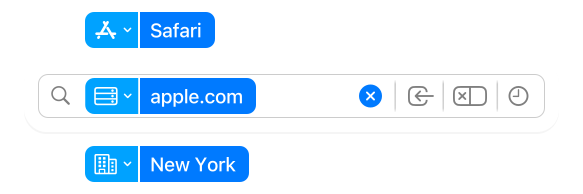
Search Smarter
Find connections by app, hostname, country, city and more using versatile search tokens.
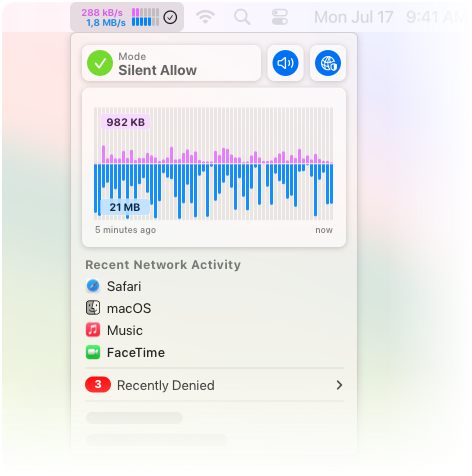
Essentials at a glance
The Little Snitch Control Center resides in the menu bar and shows the current network activity, recently denied connections, lets you control operation modes and more.

Quick Controls
Switch to Silent Mode, or change the currently active profile.

Network Activity
See your Mac’s recent network activity, and what was blocked.
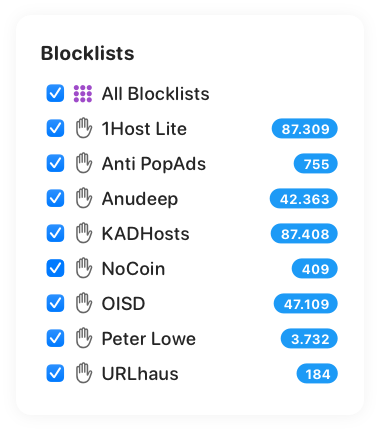
Blocklists
Easier than ever.
Choose from a curated list of blocklists, organized by topics, and activate them with just a few clicks.

Daily updates ensure that your blocklists are always on spot.
With support for IP-based blocklists!
Built-in
 DNS
Encryption
DNS
Encryption
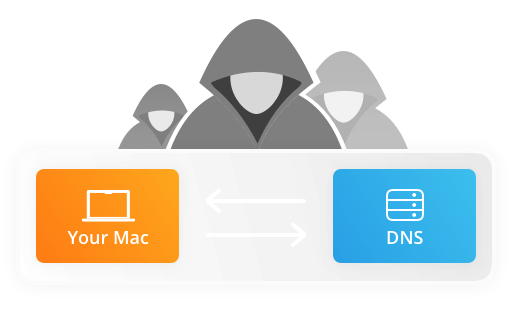
Keep your browsing activity private and secure.
Anyone can see which websites you visit by spying on your DNS requests.
But not with
Little Snitch encrypts your DNS requests and uses trusted DNS services such as Quad9 to keep your browsing private and secure. Requests are encrypted using DoH, DoT, or DoQ.

The sound of connections
Pushing all your senses.
Get acoustic notifications for selected network connections. Listen to your Mac connecting to particular servers, even when you’re not looking at the screen.
Select from a fun variety of built-in notification sounds, some of which are modulated depending on the amount of data transmitted.

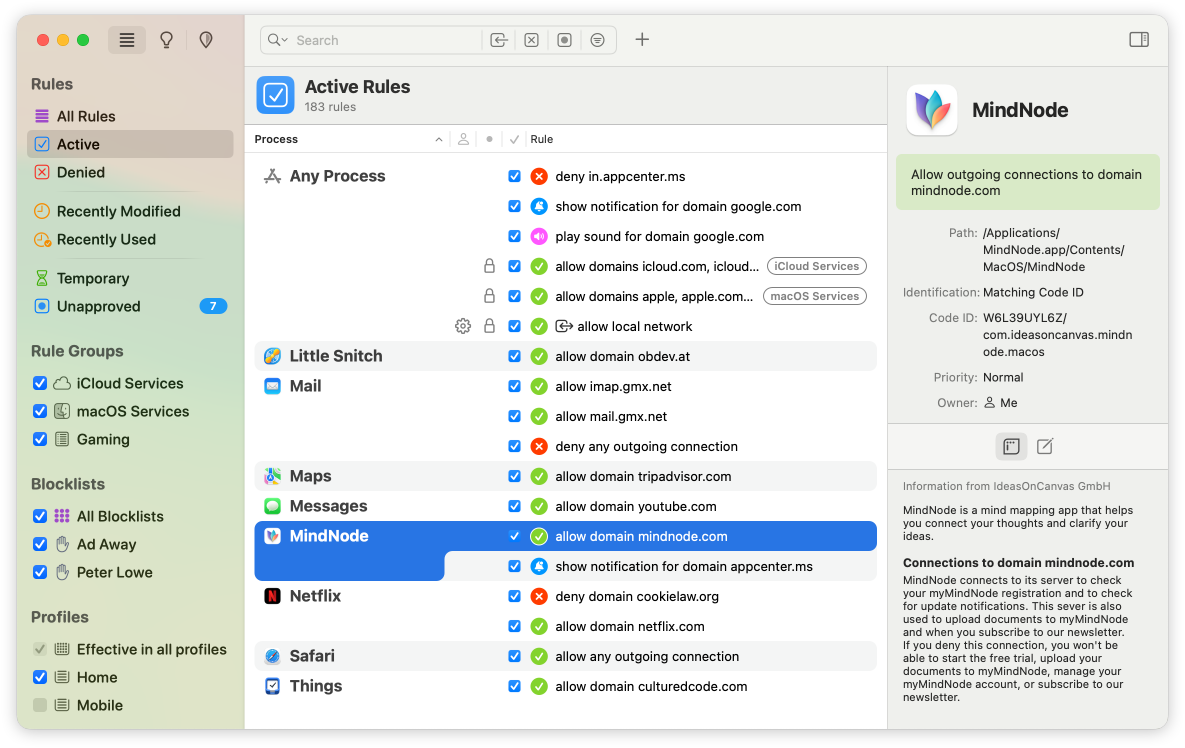
You decide what your Mac is allowed to do on the network

Decide
Decide which apps connect where and limit access to specific servers, domains, ports, or protocols.

Organize
Subscribe to rule groups, or create Profiles, and switch between them automatically.

Tidy Up
See when rules become invalid, or redundant as being covered by other rules, and even get suggestions for new rules.

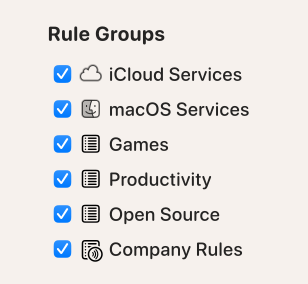
Rule Groups
Organize your rules in groups, either locally on your Mac or subscribed from a remote server, and switch them on or off with a single click.
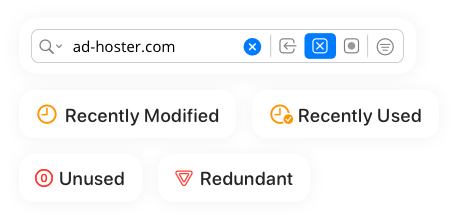
Find everything. Easily.
List all recently used rules, or show deny rules only by using the new quick filters build-in right into the search field.
Application Groups
Create rules that apply to all macOS or Simulator processes.

Usage Statistics
See how often your rules were applied.

Bidirectional Rules
Create rules covering both outgoing and incoming connections.

And so much more
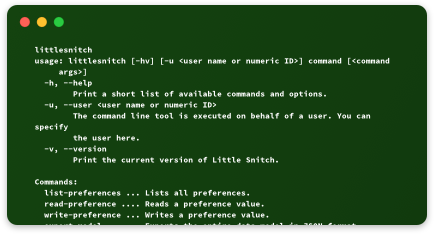
Command Line Utility
Control at your Fingertips
Change settings, export rules, respond to alerts, or log all deny / allow events, right from the command line.
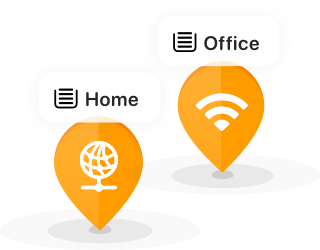
Automatic Profile Switching
The perfect rules for every situation
Connect to a new Wi-Fi, choose a profile, and Little Snitch will switch automatically next time.
Identifier Based Rules
Cryptographic process identification
Processes are identified based on their cryptographic code signature, regardless of their file path*. This makes them resistant against moving or renaming apps.
* Identification based on file path still available via dedicated option.


Want to see Little Snitch in action?
Download your 30-day free trial* today.
* Without a license key, Little Snitch runs in demo mode, which provides the same protection and functionality as the full version. The demo runs for three hours, and it can be restarted as often as you like. The Network Monitor expires after 30 days. Turn it into a full version by entering a license key.