Getting started
Once installed, open the user interface by running littlesnitch in a terminal, or go straight to http://localhost:3031/. You can bookmark that URL, or install it as a Progressive Web App. Any Chromium-based browser supports this natively, and Firefox users can do the same with the Progressive Web Apps extension.
Watching your connections
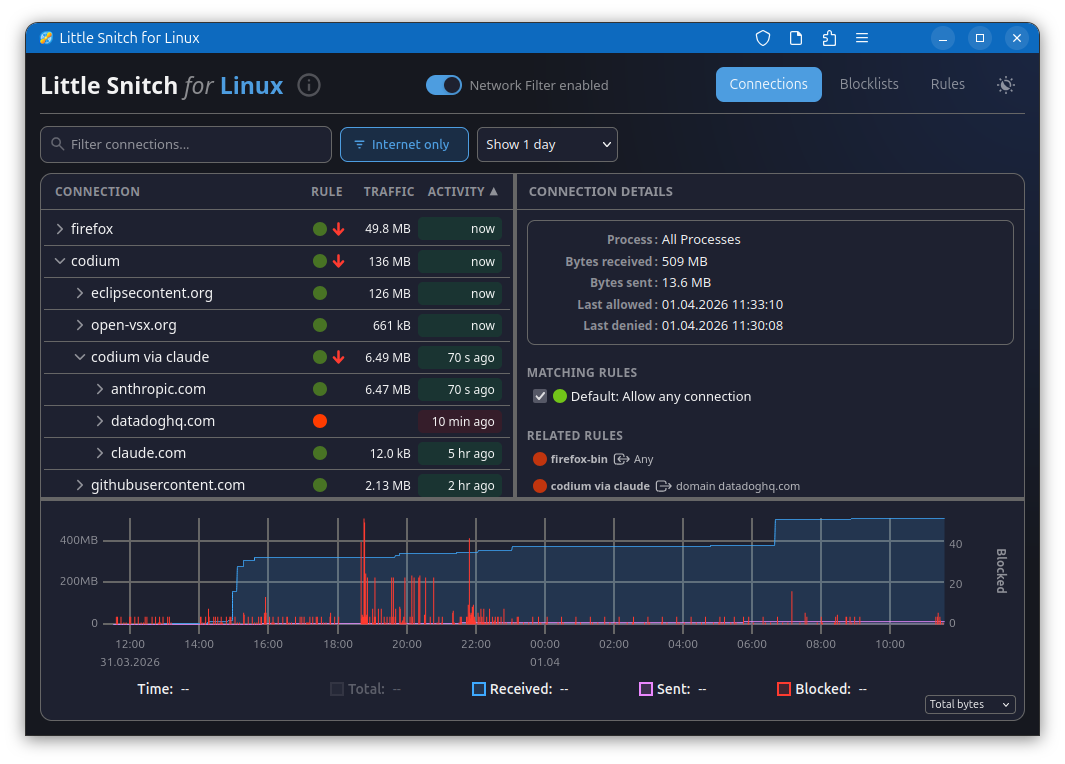
The connections view is where most of the action is. It lists current and past network activity by application, shows you what's being blocked by your rules and blocklists, and tracks data volumes and traffic history. Sorting by last activity, data volume, or name, and filtering the list to what's relevant, makes it easy to spot anything unexpected. Blocking a connection takes a single click.
The traffic diagram at the bottom shows data volume over time. You can drag to select a time range, which zooms in and filters the connection list to show only activity from that period.
Keeping blocklists
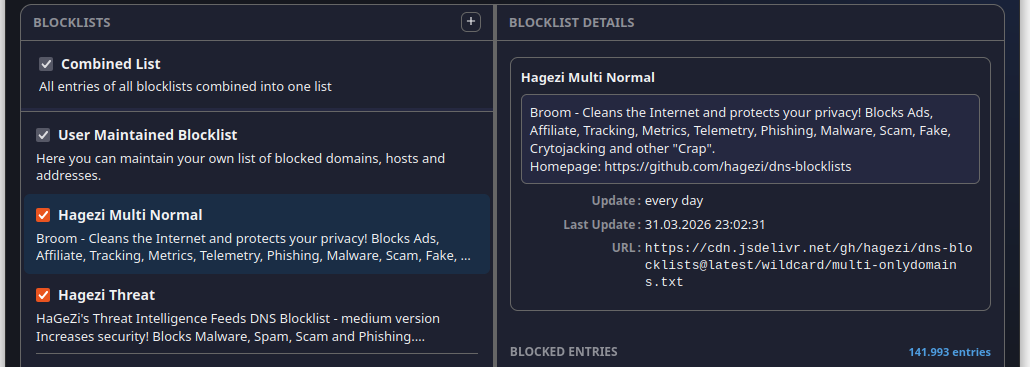
Blocklists let you cut off whole categories of unwanted traffic at once. Little Snitch downloads them from remote sources and keeps them current automatically. It accepts lists in several common formats: one domain per line, one hostname per line, /etc/hosts style (IP address followed by hostname), and CIDR network ranges.
Writing your own rules

Blocklists work at the domain level, but rules let you go further. A rule can target a specific process, match particular ports or protocols, and be as broad or narrow as you need. The rules view lets you sort and filter them so you can stay on top of things as the list grows.
A word on limitations
Little Snitch for Linux is built for privacy, not security, and that distinction matters. The macOS version can make stronger guarantees because it can have more complexity. On Linux, the foundation is eBPF, which is powerful but bounded: it has strict limits on storage size and program complexity. Under heavy traffic, cache tables can overflow, which makes it impossible to reliably tie every network packet to a process or a DNS name. And reconstructing which hostname was originally looked up for a given IP address requires heuristics rather than certainty. The macOS version uses deep packet inspection to do this more reliably. That's not an option here.
For keeping tabs on what your software is up to and blocking legitimate software from phoning home, Little Snitch for Linux works well. For hardening a system against a determined adversary, it's not the right tool.
License
Little Snitch for Linux has three components. The eBPF kernel program and the web UI are both released under the GNU General Public License version 2 and available on GitHub. The daemon (littlesnitch --daemon) is proprietary, but free to use and redistribute.